Robokiller - Spam Call Blocker
- 3.8
- Rating
- 5.00M
- Installs
- Free
- Price

 Analysis by App-foxy
Spam calls are rarely a single annoying interruption. They arrive while I am walking, working, waiting for a delivery, or trying to identify a genuine message hidden among suspicious ones. Robokiller - Spam Call Blocker is built for that particular problem: it is a communication app from Mosaic Srl that aims to filter unwanted calls and scam texts, while also serving as a possible default SMS app. After spending time with it, I see its main value less as a replacement for every communication tool and more as a protective layer for people whose phone number attracts too much noise.
The app is free to install, has an Everyone content rating, and has reached more than five million installs. Its average rating sits at 3.9 from roughly 124 thousand ratings, which feels consistent with the experience: the idea is immediately useful, but call filtering is a sensitive job where a little friction or one questionable block can change how trustworthy the whole app feels.
How Robokiller fits into everyday communication
The first thing I noticed is that the app changes the way I think about incoming communication. Instead of treating every ringing number as equally important, I can let the service separate likely spam from calls that deserve my attention. That distinction matters most when I am busy. A suspicious call during a meeting does not need to become a conversation, and a scam text does not need to compete with a message from a family member.
You May Also Like

 Blood Strike: 2.5 Anniversary
Blood Strike’s Loadouts Turn Every Drop Into a Tactical Gamble
A close look at Blood Strike’s custom loadouts: how fast access to signature weapons reshapes its battle royale rhythm, rewards preparation, and narrows the gap between fights.

 Pandora - Music & Podcasts
Pandora’s Music Is Easy to Start, but Harder to Recover
Pandora’s strength is its low-effort path from a seed to a station. Its weak spot is how much confidence it asks you to place in connection, setup, and quiet recovery.

 8 Ball Pool
 Is Built on Rivalries, Rematches, and Routine
A close look at the rivalries, rematches, shared routines, and unanswered safety questions that turn a quick pool match into a persistent mobile community.

 Samsung Music
’s Quiet Strength Is Playing What You Already Own
Its reach comes less from spectacle than from dependable access to a personal library. That simplicity is both the app’s strongest retention engine and its ceiling.

 AccuWeather: Weather Radar
AccuWeather Review: A Quick, Clear Forecast for Everyday Decisions
For everyday plans, the best forecast is the one you can understand quickly. AccuWeather makes rain timing, radar, and local conditions easy to act on, with a few trade-offs.

 Hill Climb Racing
Why Hill Climb Racing Still Turns Crashes Into One More Run
A tiny car, a bumpy hill and one more upgrade: Hill Climb Racing keeps resurfacing because its simple chaos makes every near-miss feel personal.
More From Our News Desk



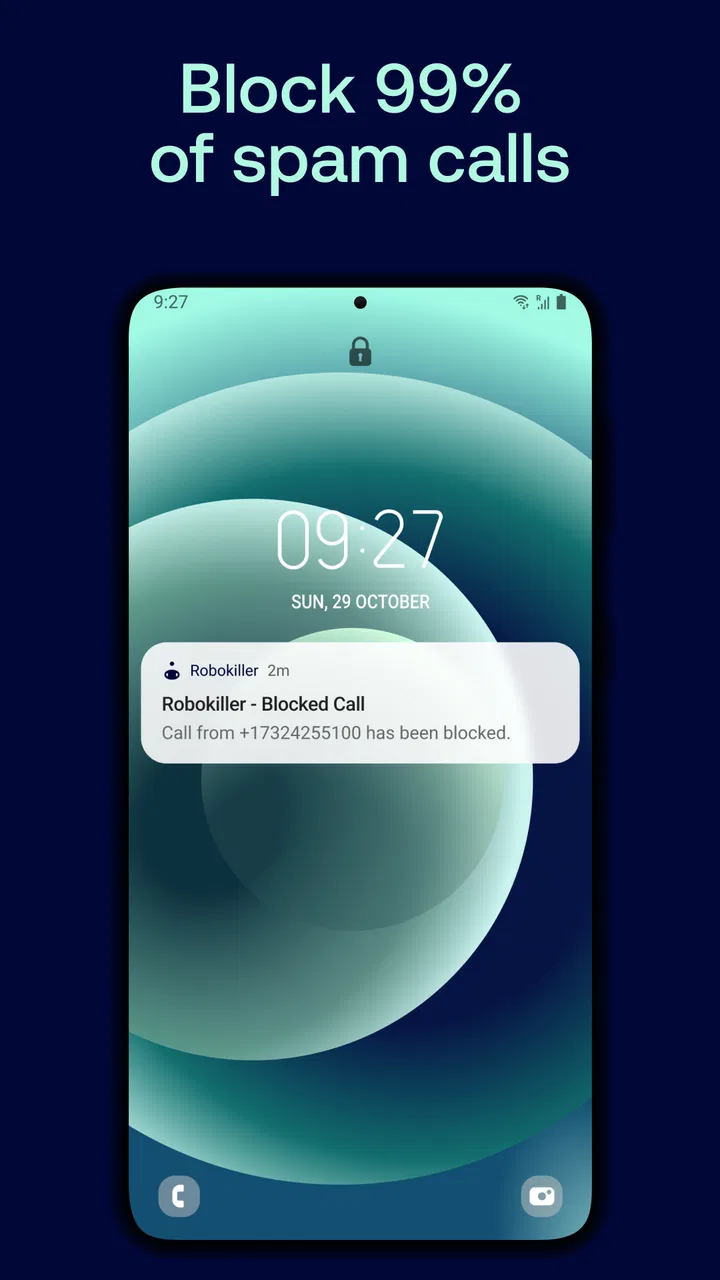
Its store summary focuses on blocking 99% of spam calls and scam texts, but I would treat that as the app’s central promise rather than a reason to stop checking everything. No filter should be treated as an infallible judge. Unknown numbers can belong to a clinic, courier, school, bank, or new contact, and a legitimate sender can sometimes look just as unfamiliar as a fraudulent one. I still recommend checking filtered items periodically, especially if I am expecting an important call.
Robokiller is categorized as a communication app, and that is a useful way to understand its role. It is not simply a dialer with a decorative spam label. The experience is tied to calls and text messages, so the practical question is whether I am comfortable allowing a dedicated filtering service to sit between me and those channels. For someone receiving frequent nuisance calls, that trade-off can be worthwhile. For someone who rarely sees spam, the setup may feel like more management than benefit.
What happens when the phone is connected
The strongest use case is a normal day with a reliable mobile or Wi-Fi connection. Filtering services depend on communication between the phone and the service behind the app, so connectivity becomes part of the experience even when I am not actively opening Robokiller. When a call or text is being evaluated, the app’s usefulness is tied to how smoothly that exchange happens.
This is why I would install and configure it before a busy trip rather than downloading it after spam has already become a problem. I would also make sure the app is ready to act as the default SMS app if that is the workflow I want. The choice is significant: changing the default messaging application affects how I open, organize, and respond to texts every day, not just how I handle suspicious ones.
There is a practical benefit to keeping communication in one place. If I use Robokiller as my default SMS app, scam texts and ordinary conversations can be handled within the same messaging environment instead of forcing me to switch between separate tools. The downside is equally practical: anyone already comfortable with another messaging app may need time to rebuild habits, find familiar conversations, and adjust to a different way of handling notifications.
I would not judge the app only by whether a blocked call disappears. The more important test is whether the overall flow remains understandable. I want to know where filtered messages go, how I can review them, and what to do when the app makes a decision I disagree with. A spam blocker earns trust through recoverability, not just aggressive filtering.
Using it on the move
Mobile contexts expose both the usefulness and the limits of a service like this. In a crowded station, I may not want to answer an unknown number because I cannot concentrate on the conversation. In a rideshare, I may be handling navigation and have no patience for repeated scam calls. During a workday away from my desk, a quieter inbox can prevent a stream of fake delivery notices from pulling me into risky links.
At the same time, moving between networks can make communication feel less predictable. A weak signal, congested public Wi-Fi, or a temporary loss of service can affect how quickly information is handled. I would not rely on any connected filtering app as my only safety measure in a place where an urgent call could matter. If I am waiting for a hospital, school, employer, or travel provider, I keep an eye on the call history and filtered messages rather than assuming every unknown number is disposable.
One useful habit is to review suspicious items when I have time and a stable connection, not while I am rushing. That makes it easier to inspect the sender, read the surrounding context, and decide whether a call should be returned through a trusted number. The app can reduce interruptions, but it should not replace basic verification. If a message claims to be from a bank, I would still open the bank’s official app or use a known phone number instead of replying directly.
Another mobile advantage is psychological rather than technical. Repeated spam creates a small amount of stress every time the phone rings. A filter can reduce the number of moments when I have to make an instant decision. That is particularly valuable for older relatives, people who receive business calls on personal numbers, or anyone who has previously fallen for a convincing scam. I would help those users configure the app and explain that filtered does not automatically mean permanently deleted.
Recovery when filtering gets something wrong
The most important question for me is not whether Robokiller blocks aggressively. It is whether I can recover from a mistaken decision without confusion. A legitimate call that never reaches me can be more damaging than several nuisance calls, so I would make review and recovery part of my routine during the first few days.
When setting up the app, I would avoid immediately assuming that every unknown caller should be blocked without thought. I would first learn how the filtered area is presented, how messages can be inspected, and how a sender can be recognized as legitimate. This is one of the non-obvious trade-offs of automated protection: the more work the service does for me, the more important it becomes to understand the escape route.
A realistic example is a new medical office calling from a number I have never seen. If that call is treated as suspicious, I do not want to wait for the office to try repeatedly. I would check the app’s filtered history, look for identifying details, and then contact the organization through information I already trust. That workflow is slower than simply answering, but it is safer than returning a number from a questionable text.
Text messages require a similar mindset. A scam message may look harmless because it contains only a short delivery warning or account notice. If I open filtered messages just to satisfy curiosity, I avoid tapping links and never provide personal information through the message thread. The app can help surface suspicious communication, but my own response determines whether the attempt succeeds.
There is also a social recovery issue. If I use Robokiller as my default SMS app, friends and family may notice that my messaging habits have changed only because I respond differently or take longer to see a conversation. I would tell important contacts that I am using a filtering tool and ask them to identify themselves clearly when contacting me from a new number. That small step reduces the chance that a genuine message is mistaken for spam.
How much attention and data the setup demands
For a spam blocker, “data-conscious” use is not only about mobile data consumption. It is also about the information involved in identifying calls and texts. I would read the app’s current permissions and privacy explanations before making it the default SMS app, then decide whether the convenience is worth the access required for my personal communication habits. The right decision depends on how sensitive my messages are and how much I value automated screening.
Someone who receives a large volume of scam texts may reasonably accept more automation than someone who uses SMS only a few times a month. In the first case, the app can save attention and reduce exposure to deceptive messages. In the second, manually ignoring unknown senders may be simpler and may avoid changing the phone’s messaging workflow at all.
Connectivity also affects data-conscious use. If I am traveling with limited mobile data, I would avoid repeatedly opening suspicious attachments or refreshing message history without a reason. I would use a trusted Wi-Fi connection for initial setup and updates where practical, while remembering that a filtering service may still need network access to provide its core protection. I would not promise myself that it can perform every task the same way during a connection outage.
Notifications deserve deliberate tuning. Too many alerts about blocked activity can recreate the distraction the app is supposed to reduce. Too few alerts can make me forget to review a message that might matter. I prefer a setup where ordinary spam stays quiet but the review area remains easy to reach. The best configuration is not the one that blocks the most visibly; it is the one that keeps my attention on real conversations.
There is a financial point to consider as well. The app is free, but in-app purchases range from 99 cents to $129.99 per item. That broad range means I would inspect the exact option and billing terms shown in the app before confirming anything. I would begin with the free experience, assess whether it solves my problem, and only then consider an upgrade. A person who receives only occasional spam may find that paying for additional functionality is unnecessary.
Where it beats ordinary phone tools, and where it does not
Most modern phones already offer some combination of caller identification, spam warnings, message filtering, and blocking controls. Those built-in tools have an obvious advantage: they are already integrated into the phone and usually require little behavioral change. If my main need is to silence a few repeated numbers, the default phone and messaging apps may be enough.
Robokiller becomes more interesting when I want a dedicated service focused on both calls and scam texts, especially if spam arrives often enough to interrupt my day. Its possible role as the default SMS app gives the experience more continuity than a simple one-number block list. Instead of reacting to each nuisance caller separately, I can approach unknown communication as a category that deserves screening.
That does not make it automatically better than built-in protection. A default tool may feel faster, more familiar, and less intrusive. A third-party app may offer a more specialized workflow but ask me to accept another layer between the operating system and my messages. I would choose Robokiller when the volume of nuisance communication justifies that layer, not merely because a dedicated app sounds more powerful.
The app is also not the right choice for someone who must answer every unknown call immediately and cannot tolerate even a small chance of delay or misclassification. Professionals who depend on new clients calling from unrecognized numbers should test the filtering behavior carefully and review the history frequently. For them, a cautious built-in warning system may be preferable to stronger automation.
Who will get the most from it
I think Robokiller is best suited to people whose phone number has become a target: anyone receiving repeated scam calls, fake account notices, or waves of suspicious texts. It can also help people who feel pressured to answer simply because the phone keeps ringing. Reducing that pressure is a real benefit, even before considering the time saved.
Families may find it useful for helping less confident smartphone users handle suspicious communication. I would still explain the basics rather than presenting the app as a magic shield: do not share codes, do not follow urgent links, and verify unexpected requests through an official channel. The filter supports those habits; it cannot replace them.
It is less compelling for a light phone user with a small contact circle, few text messages, and an operating system that already handles spam adequately. It may also frustrate people who dislike changing default applications or who want complete manual control over every call and message. The more personal communication I have, the more carefully I would weigh convenience against the possibility of a wrong classification.
Compatibility is straightforward in one important respect: the current version is 24.7.7 and requires at least operating system version 10. I would check the device requirement before planning a setup, particularly on an older phone. The app was released on June 21, 2018, so it is not a brand-new experiment, but the relevant question is still how well its current behavior fits my device and communication habits.
My practical setup and daily routine
I would start by installing the free version, checking the requested access, and deciding whether to make it the default SMS app immediately or after a short trial. Then I would send and receive a few ordinary texts, inspect the conversation layout, and locate the area used for suspicious messages. This is a better test than simply waiting for the next spam call because it confirms that the everyday messaging workflow feels comfortable.
For the first week, I would review filtered activity once a day. I would look for expected calls from unfamiliar numbers, mark trustworthy contacts clearly where the app allows it, and avoid responding directly to suspicious texts. After the setup settles, I would reduce the review frequency while keeping the habit for periods when I am expecting a new caller.
I would also keep a separate verification routine for high-risk messages. If a text says that an account is locked, a payment failed, or a parcel needs attention, I would not use the message’s link or phone number. I would open the relevant official app or type the known website myself. This is a concrete way to use Robokiller responsibly: let it reduce exposure, then use independent verification for anything important.
When traveling, I would review the app before leaving home, confirm that important contacts can reach me, and avoid assuming that a weak connection will behave like a normal one. If I am waiting for a time-sensitive call, I would keep the phone audible and check filtered activity when possible. A quieter phone is helpful, but silence should never become a reason to miss an urgent legitimate contact.
My verdict on the connected experience
Robokiller is a focused communication app with a clear everyday purpose, and I can recommend it to people who are genuinely overwhelmed by spam calls and scam texts. Its biggest strength is the shift from manually fighting each nuisance number to managing unwanted communication as a broader problem. The option to use it as the default SMS app can make that approach feel more consistent, although it also makes the setup more consequential.
My recommendation comes with a condition: I would use it as a filter, not as an unquestionable gatekeeper. Review habits, independent verification, and awareness of network conditions remain important. If I rarely receive spam, the built-in tools on my phone may be simpler. If nuisance communication is a daily burden, the extra layer is easier to justify.
With a 3.9 average from around 124 thousand ratings and more than five million installs, it has clearly attracted a substantial audience, but those figures should not decide the choice for me. The right question is whether my own phone life benefits from automated screening enough to accept a new messaging workflow. For heavy spam exposure, Robokiller is worth trying; for occasional annoyance, simplicity may win.
Mosaic Srl has made an app that addresses a problem I understand immediately: too much communication that I never asked for. I like the potential reduction in interruptions, especially when I am mobile or busy, but I would set it up thoughtfully and keep recovery in mind. Used that way, it can make a phone feel less demanding without encouraging me to ignore every unfamiliar caller.
FAQs for Robokiller - Spam Call Blocker
01What is Robokiller and how does it work?
Robokiller is an app designed to block spam calls and texts on your smartphone. It uses advanced algorithms to identify and intercept unwanted calls before they reach you. The app also employs a database of known spam numbers and uses AI to adapt to new threats, ensuring your phone stays spam-free.
02Does Robokiller block legitimate calls by mistake?
While Robokiller is highly effective at blocking spam, there is a small chance it might mistakenly block legitimate calls. However, the app allows you to whitelist contacts and review blocked calls so you can easily restore any important numbers that may have been wrongly intercepted.
03Is Robokiller compatible with my device?
Robokiller is available for both Android and iOS devices. It supports most modern smartphones, but it's always a good idea to check the app's compatibility with your specific device model and operating system version before downloading to ensure optimal performance.
04How does Robokiller handle privacy and data security?
Robokiller takes privacy seriously and is designed to protect your personal information. The app does not store your contact list or share your data with third parties. It only uses the necessary permissions to function effectively, ensuring your privacy is maintained while blocking spam calls.
05Is there a cost to use Robokiller, and are there any free features?
Robokiller offers a subscription-based service with a free trial period for new users. While the full functionality requires a subscription, the app may offer limited features for free. It's recommended to check the app store for the latest pricing and features available in your region.
Pros
- Effectively blocks spam calls.
- Easy to set up and use.
- Customizable call blocking settings.
- Provides detailed call insights.
- Reduces unwanted interruptions.
Cons
- Requires a subscription for full features.
- May block some legitimate calls.
- Can drain battery faster.
- Occasional app crashes reported.
- Limited functionality in some regions.

Robokiller - Spam Call Blocker
Gallery